Linux Systeme
Benutzerverwaltung unter Linux
Jeder Zugriff auf eine Ressource (z.B. Datei oder Verzeichnis) auf einem Linux System muss authorisiert sein. Das heißt Linux prüft welcher
Benutzer den Zugriff auf die Ressource angefordert hat und gewährt oder verweigert diesen entsprechend.
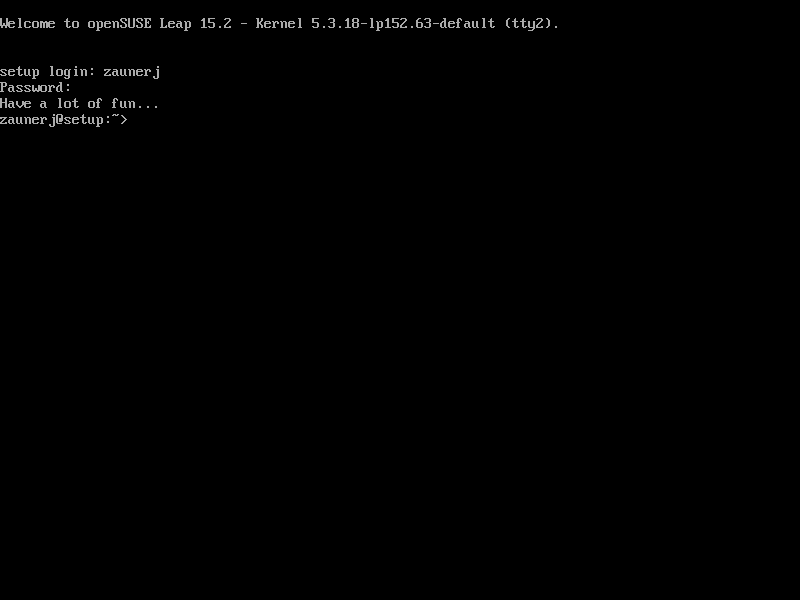
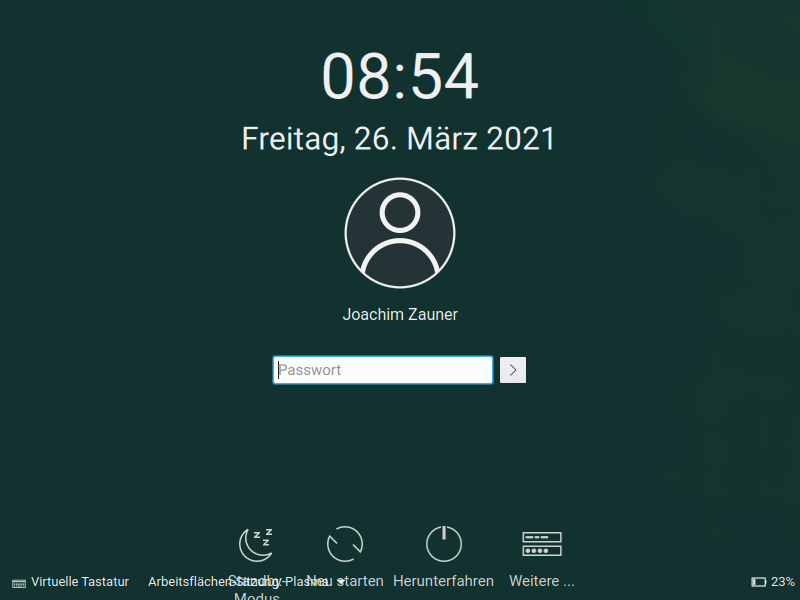
Im einfachsten Fall authorisiert sich ein Benutzer gegenüber dem Betriebssystem durch Eingabe eines Benutzernamens und dem zugehörigen Passwort.
Im einfachsten Fall authorisiert sich ein Benutzer gegenüber dem Betriebssystem durch Eingabe eines Benutzernamens und dem zugehörigen Passwort.
id
Anzeigen der UID (User-ID) und GID (Gruppen-ID) zu einem Account
daisyduck@demo-host:~ >id
uid=1001(daisyduck) gid=100(users) Gruppen=100(users)
uid=1001(daisyduck) gid=100(users) Gruppen=100(users)
whoami
Anzeigen des aktuellen Benutzernamens
daisyduck@demo-host:~ >whoami
daisyduck
daisyduck
who
Anzeigen einer Liste der aktuell am System angemeldeten User
daisyduck@demo-host:~ >who
| daisyduck | tty1 | 2021-03-26 09:26 |
| zaunerj | tty7 | 2021-03-26 08:54 (:0) |
| zaunerj | pts/0 | 2021-03-26 08:54 (:0) |
| zaunerj | pts/1 | 2021-03-26 08:54 (:0) |
last
Anzeigen einer Liste der Logins am Linuxsystem sowie der Systemstarts
daisyduck@demo-host:~ >last
daisyduc tty1                          Fri Mar 26 09:26   still logged in
zaunerj  pts/1        :0               Fri Mar 26 08:54   still logged in
zaunerj  pts/0        :0               Fri Mar 26 08:54   still logged in
zaunerj  tty7         :0               Fri Mar 26 08:54   still logged in
reboot   system boot  5.3.18-lp152.63- Fri Mar 26 08:40   still running
root     tty1                          Fri Mar 26 08:38 - 08:39  (00:01)
zaunerj  tty2                          Fri Mar 26 08:37 - 08:39  (00:02)
zaunerj  pts/0        :0               Fri Mar 26 07:59 - 08:39  (00:40)
zaunerj  tty7         :0               Fri Mar 26 07:59 - down   (00:40)
...
..
.
sudo
Ausführen eines Befehles als anderer Benutzer
Beispiel 1: Starten des Systemdienstes sshd
Beispiel 2: Statusanzeige des Systemdienstes sshd
Hinweis: wenn Sie mehrere sudo hintereinander verwenden muß das Passwort nicht mehrmals eingegeben werden. Es bleibt für einige Minuten (Standard = 5) gecacht.
Beispiel 1: Starten des Systemdienstes sshd
daisyduck@demo-host:~ >sodo systemctl start sshd
Wir gehen davon aus, dass der lokale Systemadministrator Ihnen die
Regeln erklärt hat.  Normalerweise läuft es auf drei Regeln hinaus:

    #1) Respektieren Sie die Privatsphäre anderer.
    #2) Denken Sie nach, bevor Sie tippen.
    #3) Mit großer Macht kommt große Verantwortung.

[sudo] Passwort für root:
Beispiel 2: Statusanzeige des Systemdienstes sshd
Hinweis: wenn Sie mehrere sudo hintereinander verwenden muß das Passwort nicht mehrmals eingegeben werden. Es bleibt für einige Minuten (Standard = 5) gecacht.
daisyduck@demo-host:~ >sudo systemctl status sshd
● sshd.service - OpenSSH Daemon
   Loaded: loaded (/usr/lib/systemd/system/sshd.service; enabled; vendor preset: disabled)
   Active: active (running) since Fri 2021-03-26 08:40:25 CET; 2h 50min ago
 Main PID: 1818 (sshd)
    Tasks: 1
   CGroup: /system.slice/sshd.service
           └─1818 /usr/sbin/sshd -D

Mär 26 08:40:25 setup systemd[1]: Starting OpenSSH Daemon...
Mär 26 08:40:25 setup sshd-gen-keys-start[1793]: Checking for missing server keys in /etc/ssh
Mär 26 08:40:25 setup sshd[1818]: Server listening on 0.0.0.0 port 22.
Mär 26 08:40:25 setup sshd[1818]: Server listening on :: port 22.
Mär 26 08:40:25 setup systemd[1]: Started OpenSSH Daemon.
su
Starten einer Shell im Namen eines anderen Benutzers (substitute user)
Beispiel 1: Starten einer root Login-Shell
Beispiel 1: Starten einer root Login-Shell
daisyduck@demo-host:~ >su -l
Passwort:
demo-host:~ #id
uid=0(root) gid=0(root) groups=0(root)
Passwort:
demo-host:~ #id
uid=0(root) gid=0(root) groups=0(root)
Benutzer verwalten
Hinweis: diese Befehle (ausser passwd) benötigen Administrator-Zugriff. Müssen also durch den User root ausgeführt werden.
useradd
Erstellen eines neuen Benutzer-Accounts
Anzeigen der verfügbaren Optionen für den Befehl useradd
demo-host:~ #useradd --help
Usage: useradd [options] LOGIN
       useradd -D
       useradd -D [options]

Options:
  -b, --base-dir BASE_DIR       base directory for the home directory of the
                                new account
      --btrfs-subvolume-home    use BTRFS subvolume for home directory
  -c, --comment COMMENT         GECOS field of the new account
  -d, --home-dir HOME_DIR       home directory of the new account
  -D, --defaults                print or change default useradd configuration
  -e, --expiredate EXPIRE_DATE  expiration date of the new account
  -f, --inactive INACTIVE       password inactivity period of the new account
  -g, --gid GROUP               name or ID of the primary group of the new
                                account
  -G, --groups GROUPS           list of supplementary groups of the new
                                account
  -h, --help                    display this help message and exit
  -k, --skel SKEL_DIR           use this alternative skeleton directory
  -K, --key KEY=VALUE           override /etc/login.defs defaults
  -l, --no-log-init             do not add the user to the lastlog and
                                faillog databases
  -m, --create-home             create the user's home directory
  -M, --no-create-home          do not create the user's home directory
  -N, --no-user-group           do not create a group with the same name as
                                the user
  -o, --non-unique              allow to create users with duplicate
                                (non-unique) UID
  -p, --password PASSWORD       encrypted password of the new account
  -r, --system                  create a system account
  -R, --root CHROOT_DIR         directory to chroot into
  -P, --prefix PREFIX_DIR       prefix directory where are located the /etc/* files
  -s, --shell SHELL             login shell of the new account
  -u, --uid UID                 user ID of the new account
  -U, --user-group              create a group with the same name as the user
  -Z, --selinux-user SEUSER     use a specific SEUSER for the SELinux user mapping
Anlegen einer neuen Benutzerin
demo-host:~ #useradd --create-home --comment "Daisy" daisyduck
usermod
Bearbeiten eines bestehenden Benutzer-Accounts
Anzeigen der verfügbaren Optionen für den Befehl usermod
demo-host:~ #usermod --help
Usage: usermod [options] LOGIN

Options:
  -c, --comment COMMENT         new value of the GECOS field
  -d, --home HOME_DIR           new home directory for the user account
  -e, --expiredate EXPIRE_DATE  set account expiration date to EXPIRE_DATE
  -f, --inactive INACTIVE       set password inactive after expiration
                                to INACTIVE
  -g, --gid GROUP               force use GROUP as new primary group
  -G, --groups GROUPS           new list of supplementary GROUPS
  -a, --append                  append the user to the supplemental GROUPS
                                mentioned by the -G option without removing
                                the user from other groups
  -h, --help                    display this help message and exit
  -l, --login NEW_LOGIN         new value of the login name
  -L, --lock                    lock the user account
  -m, --move-home               move contents of the home directory to the
                                new location (use only with -d)
  -o, --non-unique              allow using duplicate (non-unique) UID
  -p, --password PASSWORD       use encrypted password for the new password
  -R, --root CHROOT_DIR         directory to chroot into
  -P, --prefix PREFIX_DIR       prefix directory where are located the /etc/* files
  -s, --shell SHELL             new login shell for the user account
  -u, --uid UID                 new UID for the user account
  -U, --unlock                  unlock the user account
  -v, --add-subuids FIRST-LAST  add range of subordinate uids
  -V, --del-subuids FIRST-LAST  remove range of subordinate uids
  -w, --add-subgids FIRST-LAST  add range of subordinate gids
  -W, --del-subgids FIRST-LAST  remove range of subordinate gids
  -Z, --selinux-user SEUSER     new SELinux user mapping for the user account
Bearbeiten eines bestehenden Benutzer-Accounts
demo-host:~ #usermod --comment "Daisy Duck" daisyduck
Sperren eines Benutzer-Accounts
demo-host:~ #usermod --lock daisyduck
Sperre eines Benutzer-Accounts wieder aufheben
demo-host:~ #usermod --unlock daisyduck
userdel
Löschen eines Benutzer-Accounts
Anzeigen der verfügbaren Optionen für den Befehl userdel
demo-host:~ #userdel --help
Usage: userdel [options] LOGIN

Options:
  -f, --force                   force some actions that would fail otherwise
                                e.g. removal of user still logged in
                                or files, even if not owned by the user
  -h, --help                    display this help message and exit
  -r, --remove                  remove home directory and mail spool
  -R, --root CHROOT_DIR         directory to chroot into
  -P, --prefix PREFIX_DIR       prefix directory where are located the /etc/* files
  -Z, --selinux-user            remove any SELinux user mapping for the user
Löschen eines Benutzer-Accounts und gleichzeitiges löschen des Home-Verzeichnisses
demo-host:~ #userdel --remove hansgans
passwd
Setzen des Benutzer-Passwortes
Setzen eines Passwortes für einen anderen Benutzer (durch den User root)
demo-host:~ #passwd goofy
New password:
Retype new password:
passwd: password updated successfully
Ändern des eigenen Passwortes
daisyduck@demo-host:~ >passwd
Ändern des Passworts für daisyduck.
Current password:
Geben Sie ein neues Passwort ein:
Geben Sie das neue Passwort erneut ein:
passwd: Passwort erfolgreich geändert
Gruppen verwalten
Hinweis: diese Befehle benötigen Administrator-Zugriff. Müssen also durch den User root ausgeführt werden.
groupadd
Erstellen einer neuen Gruppe
demo-host:~ #groupadd Enten-Hausen
groupmod
Bearbeiten (umbenennen) einer Gruppe
demo-host:~ #groupmod --new-name entenhausen Enten-Hausen
groupdel
Löschen einer Gruppe
demo-host:~ #groupdel entenhausen
usermod
Zuweisen der Primären Gruppe zu einem Benutzer
Zuweisen einer sekundären Gruppe zu einem Benutzer
demo-host:~ #usermod --gid entenhausen donaldduck
demo-host:~ #usermod --groups panzerknacker --append opaknack
newgrp
Wechsel der aktuellen primären Gruppe
opaknack@demo-host:~ >newgrp panzerknacker